
USB Ports Mapper
Build Hackintosh USB port maps live from IOKit with instant Kext & SSDT generation.
— downloads
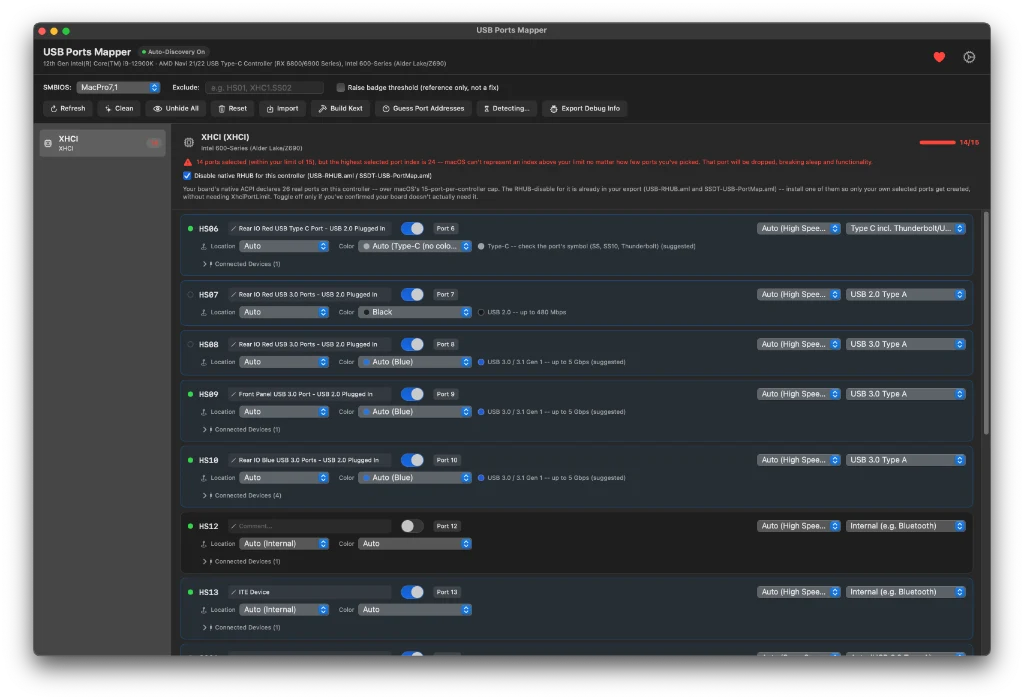
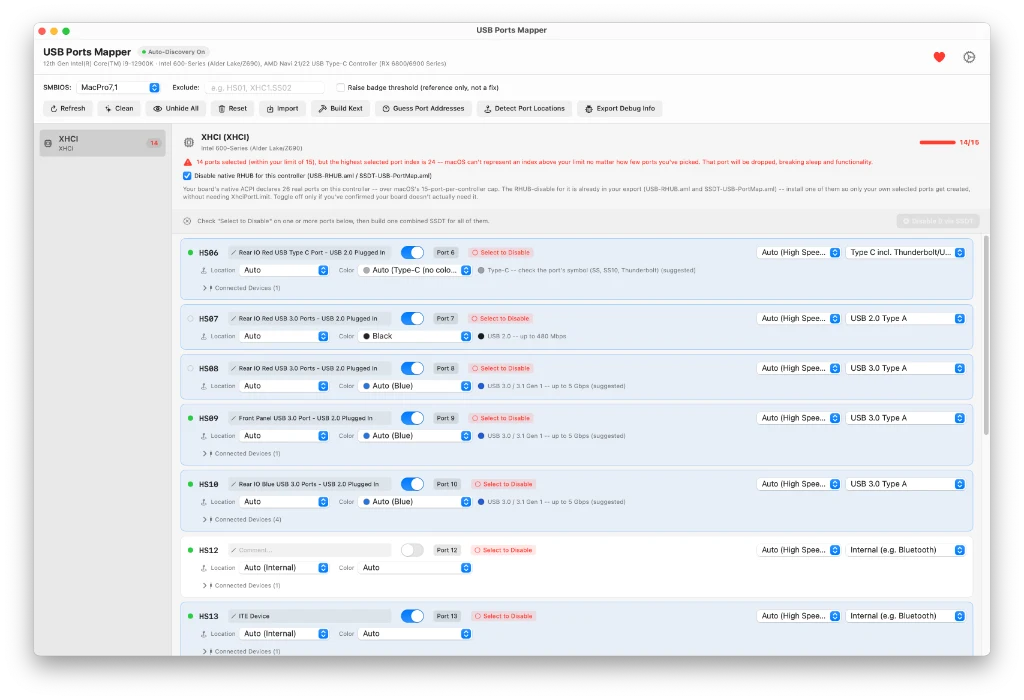
⚠️ Caution & Testing Advice: Please copy your EFI folder to a USB disk first and test the generated files there. Make sure everything is working correctly before replacing your existing kext files — I know how hard you worked to map your USB ports!
I'm still testing the app, so there might be some issues and bugs. Please share your feedback on the generated files and how the app performed on your motherboard configuration.
If you've found this tool helpful and it helped you save time and unnecessary headaches, please support development & updates via PayPal.
Native USB mapping, live from IOKit
USB Ports Mapper is a native macOS app for building USB port maps for Hackintosh systems — the same job tools like USBToolBox, Hackintool, and USBMap do, but as a self-contained app that reads your USB controllers live from IOKit and lets you select, name, and type each port with immediate visual feedback.
It outputs everything you need to actually use the map: UTBMap.kext + USBToolBox.kext (the modern, SMBIOS-independent method), a native USBPorts.kext (the classic Apple-style, SMBIOS-locked method), and legacy SSDT-UIAC.aml / USBInjectAll.kext support, plus the supporting SSDT-USBX and SSDT-EC ACPI tables.
Interface Controls
Header Row & Global Controls
Configure mapping rules, background discovery, and controller limit warnings.
HS01, SS02) to leave out of the generated map entirely, without having to deselect them one by one across multiple controllers.XhciPortLimit quirk in your bootloader. An interactive stepper lets you raise the warning ceiling up to 26 ports.Toolbar Actions
Action Buttons & Tools
Diagnostic tools, live ACPI decoders, and comprehensive kext generation.
usb.json snapshot, and clear Instructions.md._PLD (Physical Location of Device) data when present, identifying paired HS/SS connectors and panel locations (front panel, rear I/O, internal). Ports with verified ACPI device objects also unlock "Disable via SSDT".USBMapDummy.kext that sweeps a range of raw port addresses so you can discover ports that your motherboard firmware's ACPI tables do not expose cleanly.usb.json or an existing kext's Info.plist so you can resume earlier work without starting over. Reset clears your current selections and settings back to defaults with confirmation.Port List Architecture
Per-Port Row Controls
Each row in the port list displays detailed status feedback and properties from left to right:
HS04, SS02) is selectable and copyable.#comment. The toggle controls whether the port is included in the map._PLD data is found, displaying physical panel location and companion paired ports.Mapping Workflow
Typical Workflow
Follow these five steps to build a complete, stable USB port map for OpenCore.
- Discover Ports: Hit Refresh (or let Auto-Discovery run) and plug a device into each physical port you care about, one at a time, watching which row lights up.
- Select & Exclude: Toggle on the ports you want in your final map; use Exclude for anything you're leaving out entirely to remain under the 15-port limit.
- Detect Port Locations: Run Detect Port Locations to auto-fill panel/pairing info and internal classification where your motherboard's ACPI data supports it.
- Refine Types & Speeds: Adjust any port's Type or Speed manually where needed (e.g. correcting a Type-C port between "with switch" and "without switch" based on how it actually behaves).
- Build Kext & Install: Hit Build Kext, then follow the generated
Instructions.md— pick one method (UTBMap.kext + USBToolBox.kext is recommended) and don't mix it with the legacy SSDT-UIAC/USBInjectAll method.
Community & Lineage
Credits & Acknowledgments
USB Ports Mapper stands on the shoulders of remarkable community tooling and research:
Compatibility
System Requirements
Build your perfect USB map in minutes.
Live IOKit auto-discovery, 15-port limit enforcement, and instant UTBMap.kext & USBPorts.kext generation.